

Google AI Overviews and AI Mode: How to Get Your Pages Cited
BY DZAN VOLODER, FOUNDERLAST UPDATED 7 MIN READ
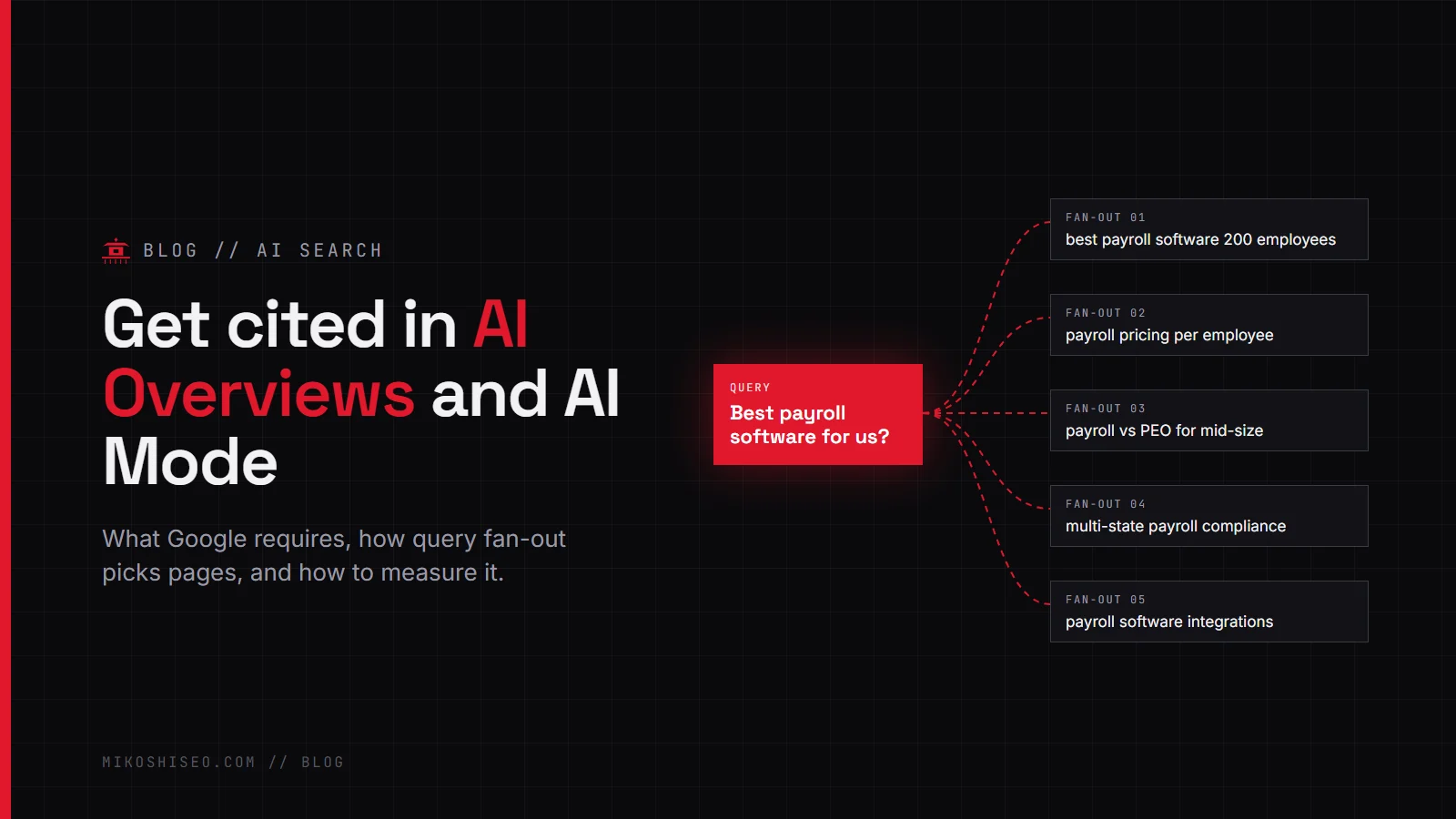
Google says there are no special requirements for AI Overviews or AI Mode: a page must be indexed and eligible to appear in Search with a snippet. Both features may use query fan-out, running related searches across subtopics, so pages that clearly answer the sub-questions around a topic have more chances to be chosen as supporting links.
What Google actually requires
Google's documentation is unusually direct here. There are no additional requirements to appear in AI Overviews or AI Mode, and no special optimizations, AI text files or schema.org markup are needed. The technical bar is that a page is indexed and eligible to be shown in Google Search with a snippet.
Google also states that meeting these requirements does not guarantee a page will be crawled, indexed or shown. Eligibility is the entry ticket, not the result.
How AI Mode and AI Overviews find supporting pages
Both features may use a technique Google calls query fan-out: issuing multiple related searches across subtopics and data sources to build a response. That lets Google show a wider and more diverse set of links than a classic results page.
Two more details matter. AI Overviews only appear when Google's systems judge them additive to classic search, so many queries never trigger one. And AI Mode and AI Overviews may use different models and techniques, so the links they show for the same topic can differ.
The SEO fundamentals Google lists
- Crawl access. Crawling allowed in robots.txt and by your CDN or hosting setup.
- Internal links. Content that is easy to find through links on your own site.
- Page experience. Pages that work well for people on every device.
- Text content. Important information available as text, not only in images or scripts.
- Images and video. High-quality media that supports the text, where it helps.
- Structured data that matches. Markup that reflects what is visible on the page.
Our advice: cover the fan-out
If Google breaks a question into related sub-questions, the practical move is to answer those sub-questions clearly. For each important topic, list the follow-up questions a buyer would ask: cost, alternatives, comparisons, implementation, risks. Make sure your site answers each one in plain text, with a descriptive heading, on the most relevant page.
This is our interpretation of Google's guidance, not a Google rule. It also happens to be what makes pages useful to people.
How to control what is shown
To limit what Google shows from a page in Search, including AI features, Google points to the nosnippet, data-nosnippet, max-snippet and noindex controls. Google-Extended is a separate token for limiting AI training and grounding in some of Google's other systems, such as Gemini.
How to measure it
Google includes AI Overviews and AI Mode in the Performance report in Search Console, under the Web search type. In our own account, Search Console also offers a separate export for performance on its generative AI features.
As a real example: mikoshiseo.com was three weeks old when that report showed 8 impressions in Google's AI features over 28 days, for our home, about, pricing, services and ROI calculator pages. Most came from the country where we are based, which suggests searches about our own brand. Small numbers, but proof that a new site with clean, crawlable pages can appear quickly.